

Oyo State
33 LGAs · Ibadan, the capital
Apply to advertise anywhere in Oyo State.
OYSAA regulates signage and outdoor advertising across the state. Find a billboard site, apply and pay online, then follow your application through review.
Planning a billboard? Start with what you already have.
Each situation points to one of OYSAA’s three billboard applications. Your role and documents are confirmed when you apply.
No site yet
“I need a billboard location for my campaign.”
On-Site Application
Browse listed billboards by zone, type and dates, then apply for the site that suits your campaign.
Browse available sitesSite arranged
“I’ve already secured a site and a billboard.”
Third Party Application
For advertisers who have arranged the location and billboard with its owner before applying.
Check requirementsOwn structure
“I own the advertising structure for my brand.”
First Party Application
Register the billboard you own and place your advertisement on it in one application.
Check requirements
Moving, events and smaller formats
Not every campaign needs a fixed billboard. These formats have their own applications.


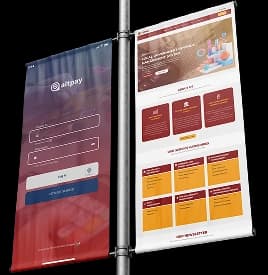
Once you apply, the rest happens online.
No office visit is needed to search, pay or follow up. Review the documents for your application first.
Read the requirements- 01
Find a site, if you need one
Search listed billboards by advertising zone, type and dates. Every site is mapped to its exact coordinates.
- 02
Apply and pay
Submit your application and pay from your OYSAA wallet or by bank transfer.
- 03
Follow the review
See where your application stands at every stage, from your account.
- 04
Download your certificate, then renew
Once approved, download your certificate. Renew each year without starting over.
For registered billboards. Each one carries a QR code that anyone can scan to verify it.
Recently approved ads
Billboards, banners and displays approved for placement across the state.



Have your documents ready? Choose your role and apply.
Already applied? Log in to track your application, download an approved certificate or renew.